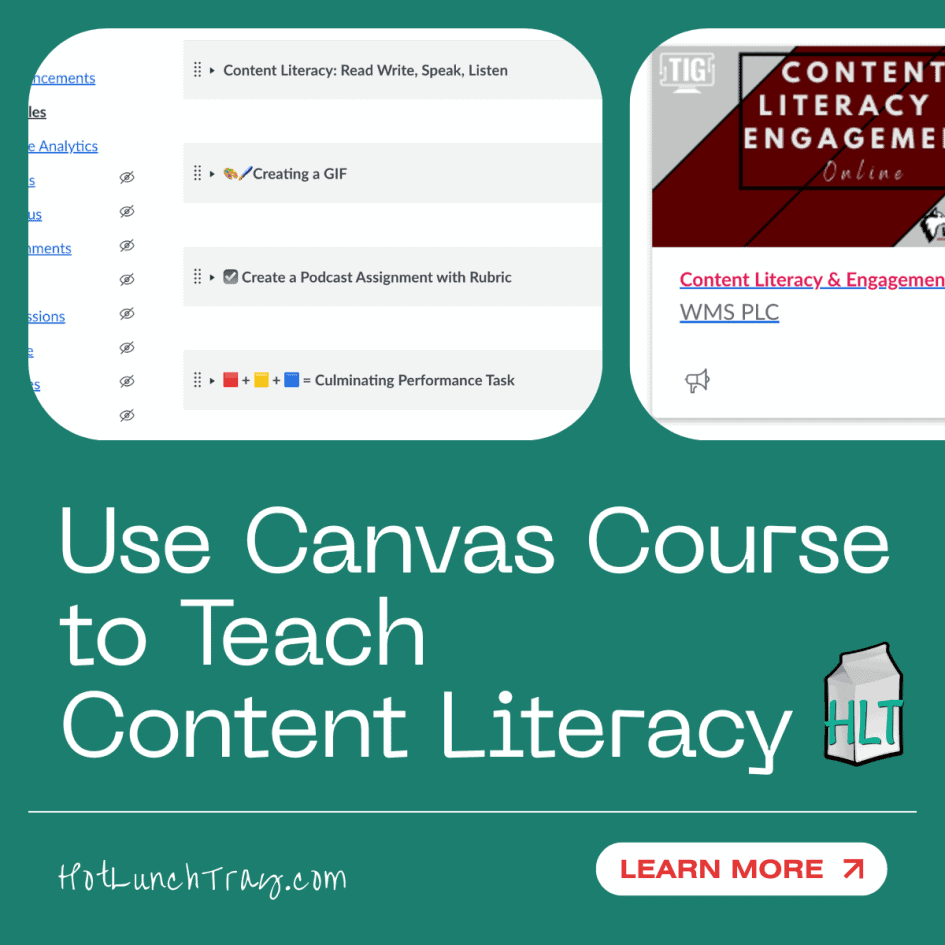
I recently had the opportunity to share how and why I develop educator professional learning through the learning management system (LMS). Below, I give a tour of a recent professional learning asset that teaches both content literacy and instructional design.
Content Literacy Background
My initial years in education were in 4th and 5th grade classrooms. I used literature to teach much of my social studies content, some of my science content, and was able to create a yearlong theme through the books we read together. What I learned most about reading and learning through reading was that I did not know as much as my early childhood counterparts.
When I moved to middle school, what I did have was a respect for the intricate nature of how literacy is nurtured within learners. And I taught subjects that ignored that continued opportunity in middle school – math, science, and social studies. I quickly became the content literacy expert in the grade level and then middle school.
I worked with an expert in the math curriculum. But I saw the potential to deepen the the experience for our learners of math. I reached out to Mikki Murray, author of Teaching Mathematics Vocabulary in Context, and arranged a professional learning session for our math teachers. I followed up on her ideas, alongside my mentor’s mathematical pedagogy, by launching a weekly vocabulary study. Every Friday, we worked independently/small groups on different vocabulary strategies. I activated students who thought of themselves as mathematically-oriented to word and semantic study and invited in linguistically-oriented students to succeed in math class. I later conducted an Action Research Project on this for my Masters capstone.
Content Literacy Through Canvas LMS
So, when I transitioned to Instructional Technology, I naturally had this background to incorporate. I wrote how to organize a module based on the work I did with students on how to read non-fiction content. I want those writing modules to craft a familiar pattern to help reduce the cognitive load of the end user or learner. Teaching this explicitly is not as practical as showing and allowing educators to experience the difference. Ideally, educators feel the predictability, the similarities between chunks fo content – and they want to replicate those feelings in their content learners.
Chunking the content into meaningful content also needs to be modeled over explicitly teaching. This is more challenging when the first experience with online teaching or learning was during COVID. Educators tended to arrange by date. That is problematic because to reuse the content again the title/other needs to be edited each time. What many missed to were hurried into pandemic online teaching was that any real learning management system (Read: not Google Classroom) allows the owner to change due dates when copying year-over-year. The longer educators leave their content in a time-based format, the less they find any LMS useful. All educators need to experience the content-centric module structure.
When the basics are addressed, the learner can read your online course like a non-fiction textbook.
Explicit Content Literacy Strategies
For this PLC professional Learning experience (public course link), I chose three strategies to explicitly teach: Graphic Organizers, GIF creation, and Podcast creation. I escalated the complexity of the strategies to complement the cognitive load of the Canvas Designer Literacies I was including. While the first literacy strategy was light, the participants were observing the layout and evaluating their interactions with it and its content. Within the strategies, the module length included, the use of rubrics evolved, and the length of the student production increased.
Graphic organizers are not new; this was an intentional starting strategy because many teachers may not have known how to assign and collect them via the LMS. This may be a great connector between new and veteran teachers. Once teachers learn how to initiate, collect, and grade graphic organizers, they are unlikely to abandon that strategy. They will – and should – keep paper-and-pencil graphic organizers, but they now have a way to more efficiently assign work and create documentation of students’ learning.
GIFs, however you pronounce them, are a fun way for students to sit with heavy concepts and condense them to 5-second videos. These types of activities can best be accomplished in groups. Group talk helps students place characteristics of a concept into a hierarchy of importance. If students can create GIFs that identify the most important ideas of a concept, they own that concept.
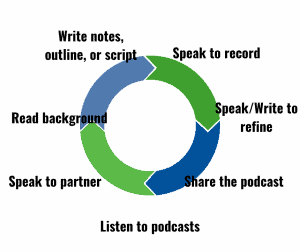
Student-created podcasts are a wonderful way to create multiple intentional exposures to content. Imagine pairing students to investigate a topic they need to understand deeply. While creating a podcast is not a standard, evaluating multiple sources of information is now important – do students know what goes into creating a podcast?
With two class periods and access to a product like Canva, they can have all these experiences with the topic, time to evaluate how best to edit the length of a podcast to include the most important and relevant information about that topic. And now they can listen to any other podcast and hear the important, intentionally included products – and may have additional insights.
Then they can listen to the other podcasts – either on the same topic to evaluate or on an adjacent topic. They should be able to identify the most important information, infer what may have been edited out, and have ideas to expand upon the topic.
You can likely see how both the content matter and the process appeal to me.
How are you either teaching educators how to structure their online content or how to include content literacy into their content courses?


Leave a Reply